Edit your Reels with Claude, for free.
You asked for it in my Reel, so here it is. This skill turns your raw talking-head video into a styled Reel inside Claude: silences cut, stylish subtitles, big text behind your head, smooth zoom-ins, music and sound effects. Download it, follow the steps below, and Claude does the editing.
Four honest things before you start.
I'd rather tell you now than have you waste your Claude usage on a half-finished edit.
You need a paid plan
Use at least Claude Pro. On the free plan the edit usually stops halfway because it runs out of usage.
It uses your limit
One edit took about 4 to 7% of my weekly limit. More effects, more graphics and more rounds of changes use more.
It takes time
Expect 30 minutes to 2 hours per video, depending on its length and how much you ask for. Run it in the cloud so you don't have to wait (step 6).
Short videos work best
Reels of 1 to 3 minutes give the best results. Longer videos take much longer and use more of your limit.
Your footage, just styled.
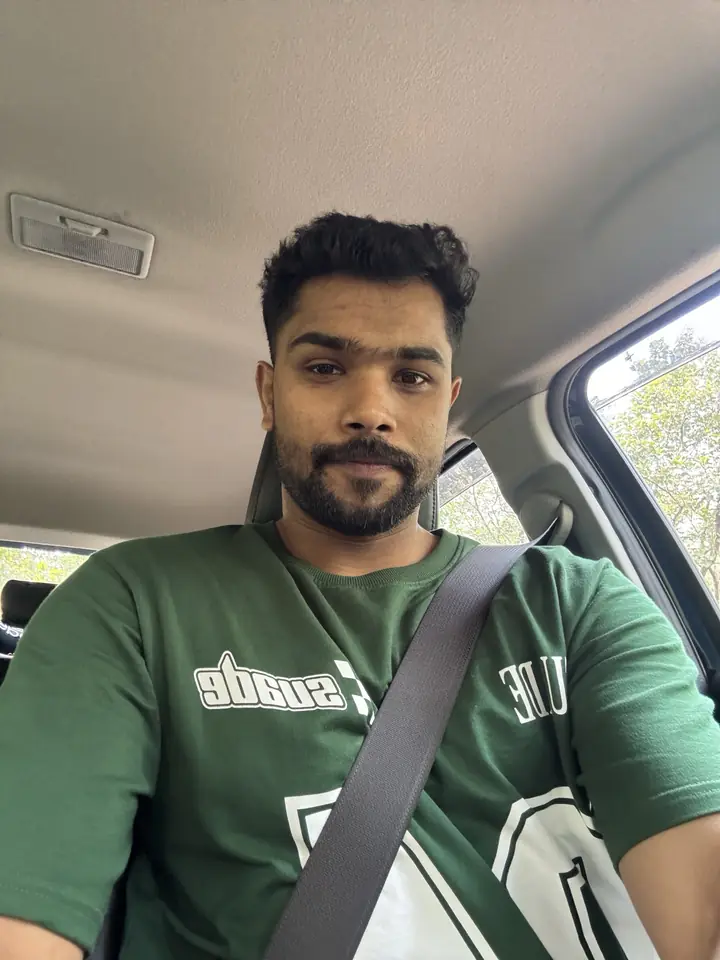
The skill is built for talking-head Reels: you speak to the camera, and Claude does the cutting and adds the style on top. Your footage stays as you shot it, with no heavy filters.
- Cuts every silence and dead pause automatically
- Stylish subtitles with the key words highlighted (English, Malayalam and other languages)
- Big text behind your head on the key points
- Smooth zoom-ins when you make an important point
- Handwritten stickers and number counters, used sparingly
- Quiet background music and sound effects, all copyright-safe
- Send a reference Reel and it copies that editing style
Credit where it's due: I didn't make this skill from scratch. Another creator built the original and shares it for free. I took it, edited it to suit my Reels, and I'm sharing my version for free too. You can use this one or get similar skills from other creators.
From raw video to edited Reel.
Steps 1 to 3 are a one-time setup. After that, you only repeat steps 4 to 7 for every new video.
-
Download the skill
Tap the button below. You'll get a .zip file. Don't unzip it and don't zip it again; Claude needs the file exactly as it downloads. The setup is easier on a laptop or computer, but you only do it once.
Download the skill (.zip) -
Turn on code execution in Claude
Skills only work when Claude is allowed to run code. This skill also downloads free editing tools (fonts, a speech-to-text model) the first time it runs, so Claude needs internet access too.
- Open Claude (claude.ai or the Claude app) and go to Settings → Capabilities.
- Turn on Code execution and file creation.
- Turn on Allow network egress (internet access) and set the allowed domains to All domains. "Package managers only" isn't enough, because some tools download from GitHub.
-
Upload the skill to Claude
- Go to Customize → Skills (in some versions it's inside Settings → Capabilities).
- Tap + or Upload skill and choose the .zip file you downloaded.
- Make sure the skill's toggle is on. That's it, it's installed for every chat on your account.
Seeing "Zip must contain a top-level folder" or "Zip must contain a SKILL.md file"? The zip was packed again. Delete it, download a fresh copy from this page and upload it without unzipping or re-zipping.
-
Get your video ready
Shoot your Reel as usual (1 to 3 minutes works best). Then give it to Claude in one of two ways:
- Upload the video file in the chat. This is the most reliable way.
- Or share a Google Drive link if the file is too big to upload. Upload it to Drive, tap Share, and set General access to Anyone with the link. If the link is private, Claude can't open it.
Want it edited like a Reel you saw? Screen-record that Reel on your phone and upload it too as a reference.
-
Start a chat and tell Claude what you want
Open a new chat (any chat works), add your video or Drive link, and ask Claude to use the skill. The more clearly you describe what you want, the better the result. Here's a prompt you can copy:
Use the viral-reel-remix skill to edit this video into an Instagram Reel.

Video: [upload the file or paste your Google Drive link]
Language I speak in the video: English

What I want:
- Cut all the silences and pauses
- Stylish subtitles with the key words highlighted
- Big text behind my head on the main points
- Smooth zoom-ins on the important lines
- Quiet background music and sound effects
You can customise it: subtitle colours, which words go behind your head, a sticker on a key point, your own copyright-free music track. Claude may ask you to approve installing its tools the first time; say yes. Every extra effect uses more of your Claude limit and more time.
-
Let it run in the cloud
An edit can take 30 minutes to 2 hours, so you don't want to sit and watch. Run it as a cloud (remote) session: the work happens on Claude's servers, so it keeps going even if you close your laptop or lock your phone.
Come back later, open the same chat, and your edit will be waiting.
-
Check it, ask for changes, download
Watch the preview. If something is off (a wrong word in the subtitles, a graphic in the wrong place), tell Claude exactly what to fix. When you're happy, download the final video and post it.
The straight answers.
Want to know the other ways Claude can edit video? Read my guide on how to edit videos with Claude.
Is this skill really free?
Yes. The skill is free to download and use. It was first made by another creator who also shares it for free. I edited it and I'm sharing my version here. You still need your own Claude plan to run it.
Does it work on the free Claude plan?
Mostly no. Editing a video takes a lot of usage, and the free plan usually runs out before the edit is done. Use at least a Claude Pro plan.
How much of my Claude limit does one edit use?
In my tests, one Reel edit used about 4 to 7 percent of the weekly limit on my paid plan. It goes up when you ask for more effects or several rounds of changes.
How long does one edit take?
Anywhere from about 30 minutes to 2 hours. A short video with a simple request finishes faster. Longer videos and lots of text-behind-head moments take longer.
What kind of editing does the skill do?
It cuts silences, adds stylish subtitles with highlighted words, puts big text behind your head on key points, adds smooth zoom-ins, small stickers, and quiet music and sound effects. It keeps your footage natural. It is not a replacement for CapCut or Premiere Pro for colour grading or complex transitions.
Does it work for Malayalam Reels?
Yes. It can make subtitles in Malayalam script with English words kept in English, and it works with many other languages too. Tell Claude which language you speak in the video.
Why does Claude say my zip is invalid?
Usually because the zip was unzipped and zipped again, or zipped twice. Download a fresh copy from this page and upload it to Claude as it is.
Can I share my video as a Google Drive link?
Yes, if the file is too big to upload. Set the link's General access to "Anyone with the link" and make sure internet access is turned on for code execution in Claude's settings. Uploading the file directly is the most reliable way.
Do I have to keep my laptop open while it edits?
Not if you run it as a cloud (remote) session. The work then happens on Claude's servers, so it keeps going even when your laptop is closed or your phone is locked. Come back later and download the finished video.